01 · Conversation
Keep the focus on people.
Darker room surfaces and light text give chat a more settled backdrop. Photos and video keep their natural colors where supported.
Dark mode for Paltalk®
The conversations you know, in a calmer shade.
PalShade is a dark mode for Paltalk®. It brings darker chat surfaces and readable light text to supported Paltalk® versions on Windows. Made for people who prefer a dimmer screen.
30 days free. No account. No credit card.
Independent and not affiliated with Paltalk®. Paltalk® installation required. Check compatibility.
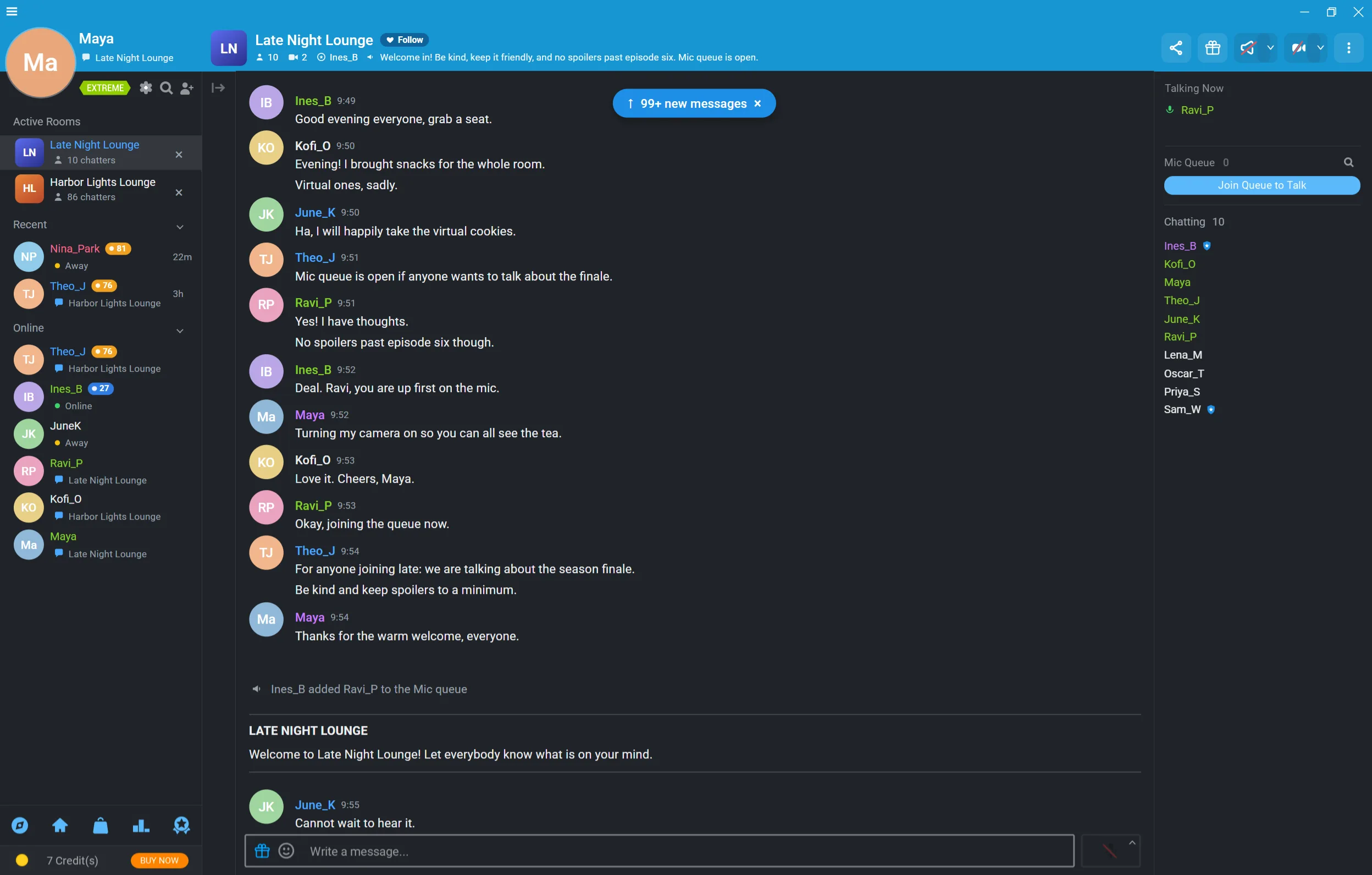
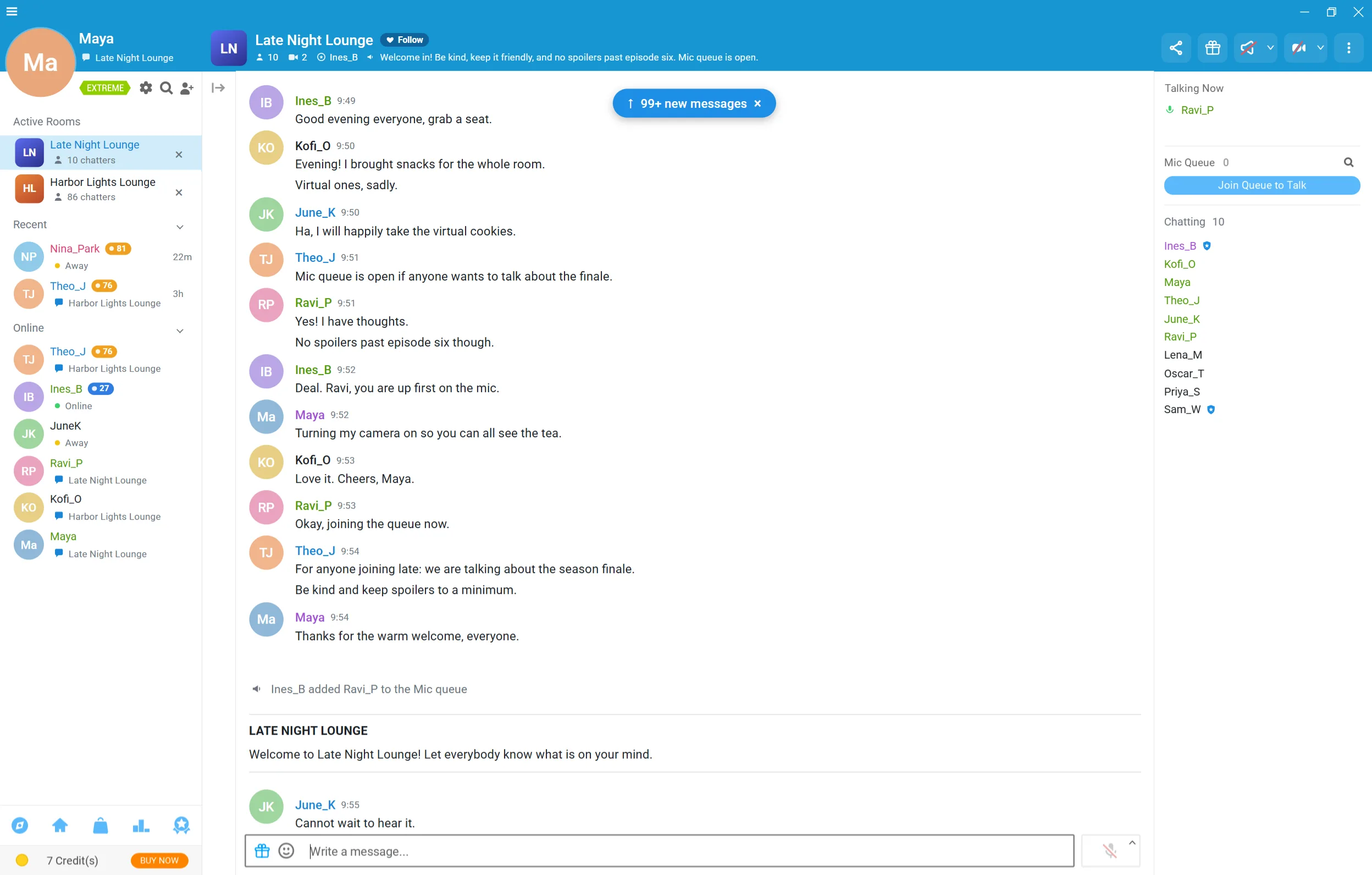
Room dimmed62%
Drag left to dim it all the way.
Dark · Original capture. Select a style to preview its colors in Room view.
Eight classic palettes, from balanced Dark to pure-black OLED. Explore ten illustrated themes in the art collection above, using the same artwork and colors as the app. Choose your theme on the Appearance page.
Charcoal with a cool slate finish.
Deep navy and soft blue-white.
Lifted blue-gray, with a gentle contrast.
Forest green and a soft sage tint.
Smoky plum and pale lilac.
Warm brown and a mellow cream.
Palette samples, not app screenshots. Choose a preset or make your own; Apply updates a running Dark Mode session. How to change your theme.
The PalShade app keeps everything in one window: start Paltalk® in Dark or Normal Mode, choose a theme with a live preview, and check compatibility, your license and updates from the navigation bar. Close it and it waits in the notification area, ready to switch themes or restart Paltalk®.
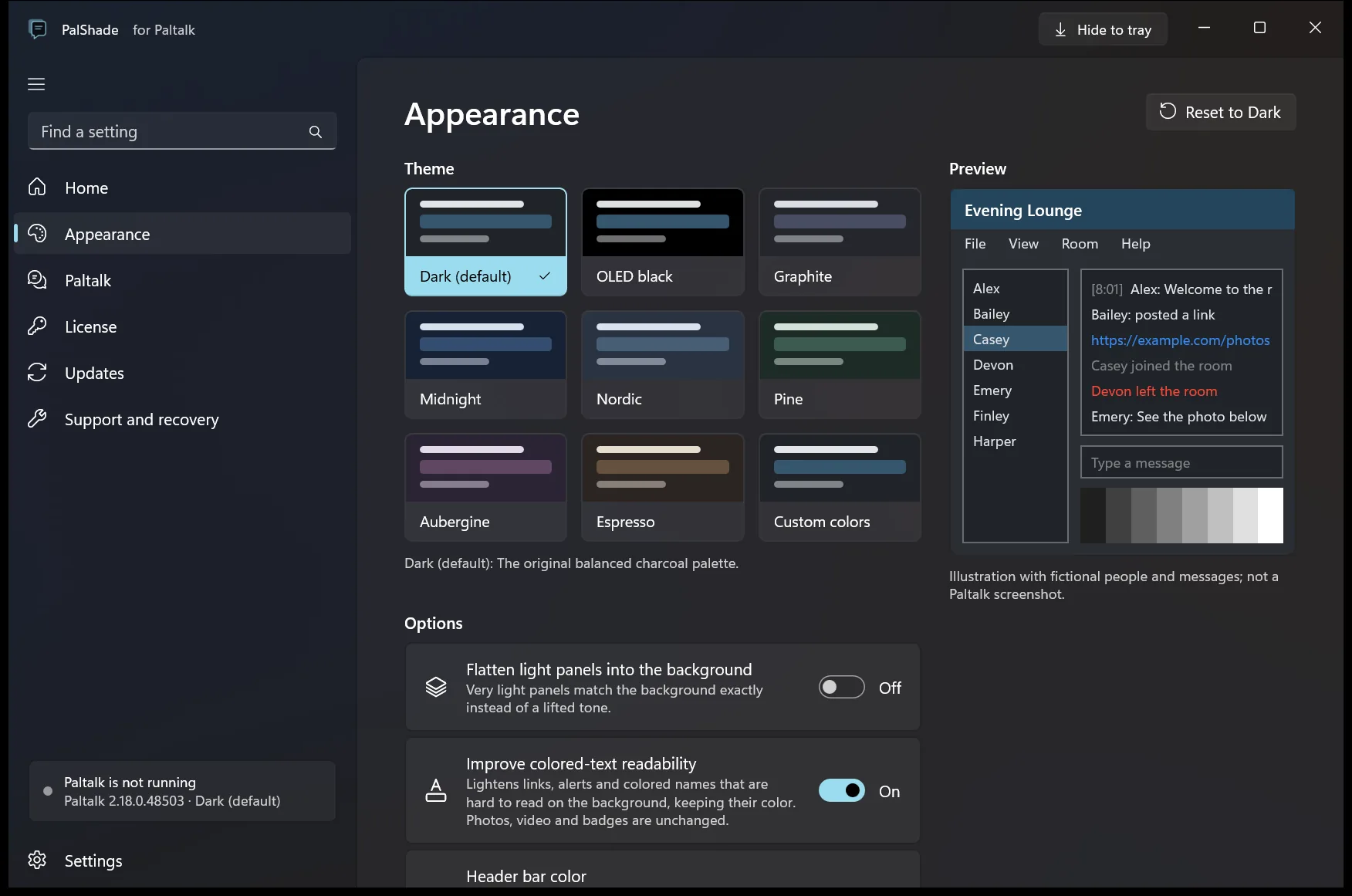
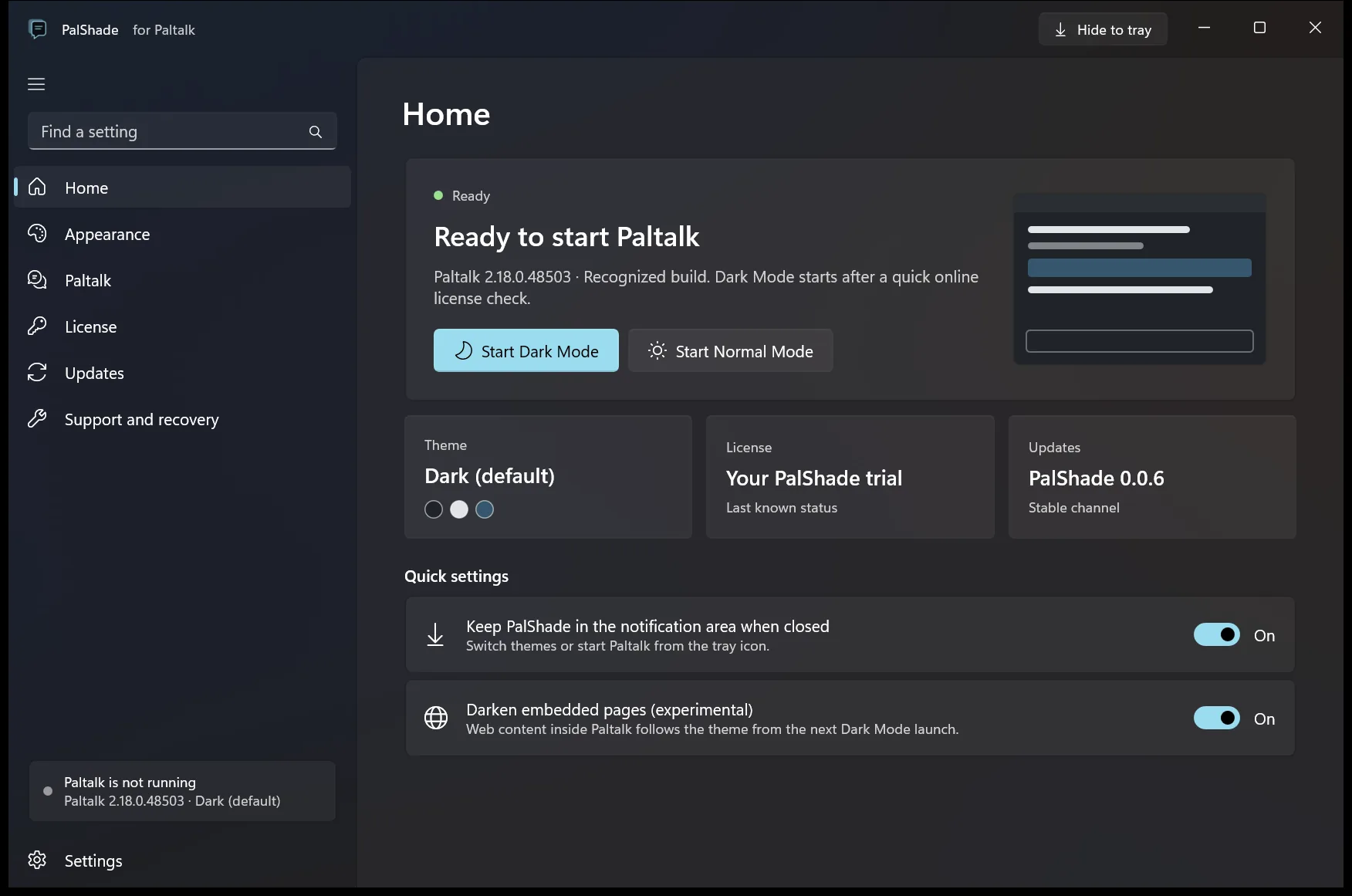
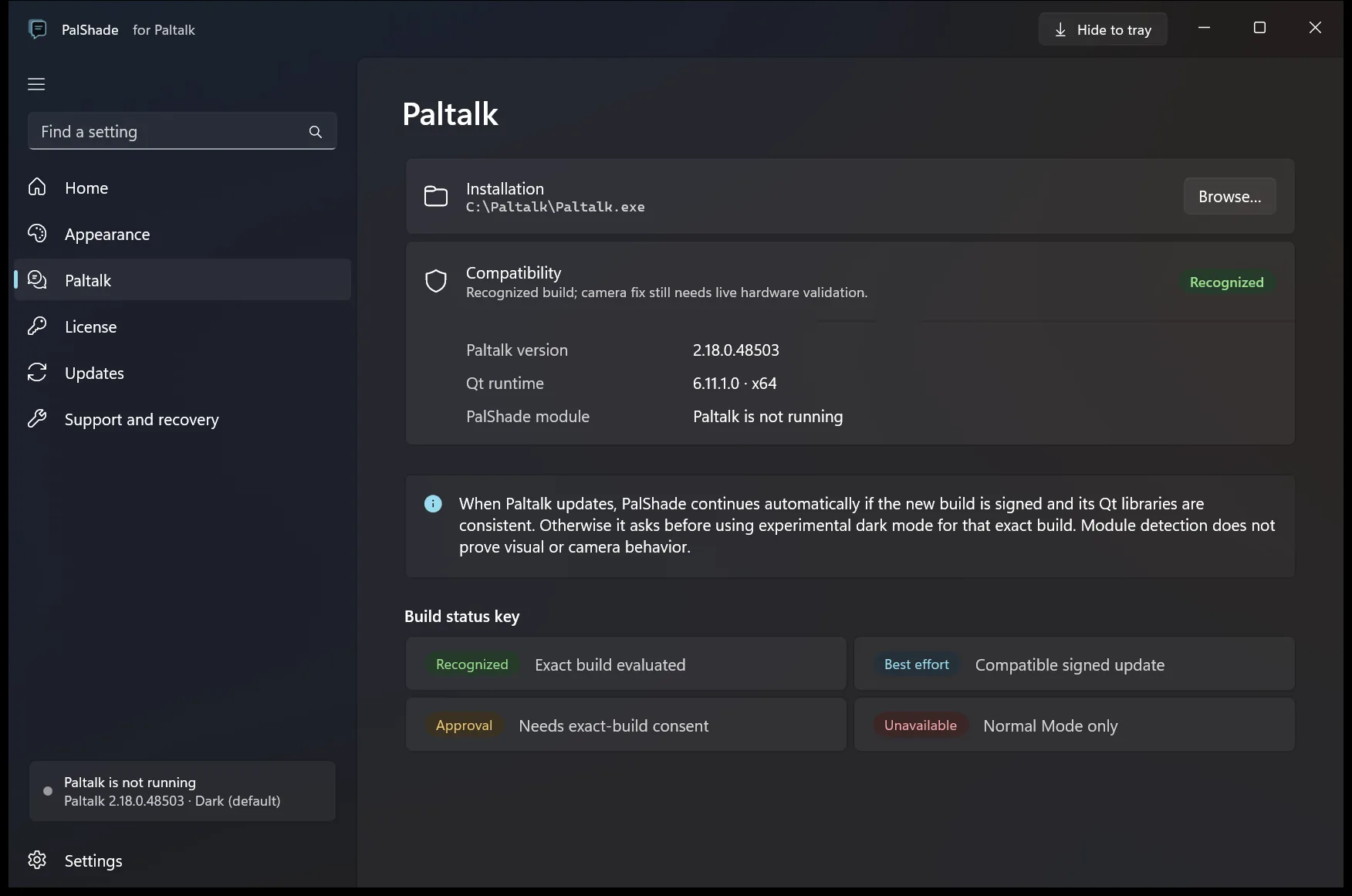
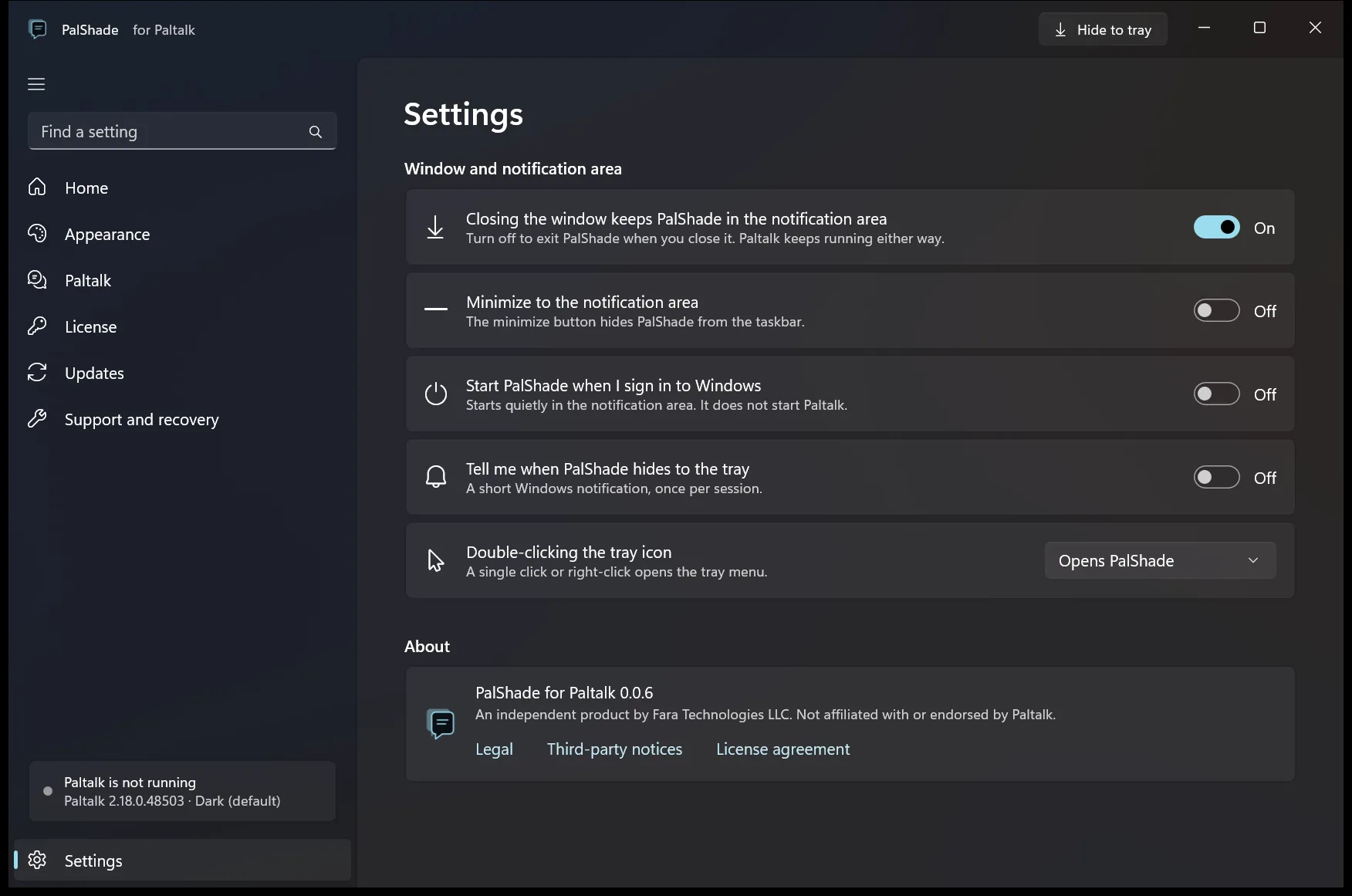
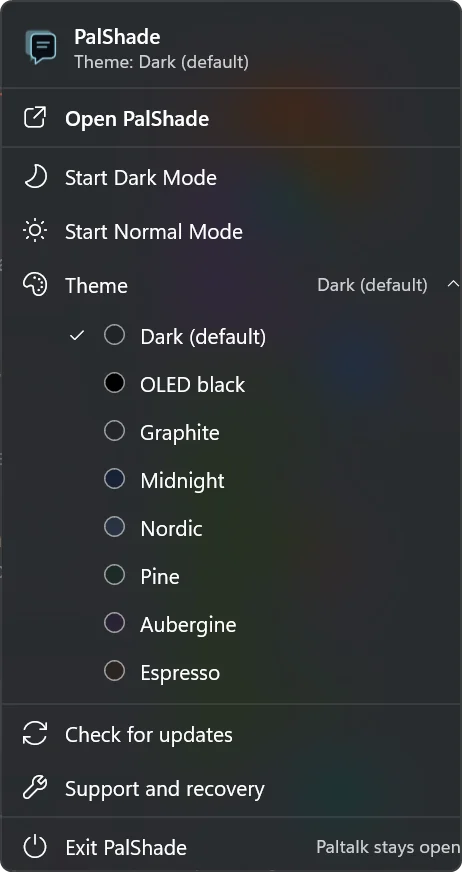
Screenshots of PalShade 0.0.6 on Windows 11 (the unchanged tray menu is from 0.0.5); select one to enlarge it. The Appearance preview uses fictional names and messages and is not a Paltalk® screenshot.
Darker room surfaces and light text give chat a more settled backdrop. Photos and video keep their natural colors where supported.
Open PalShade, or select its tray icon, to launch Dark Mode or return to Normal Mode. If Paltalk® is running, you can confirm or cancel the restart.
The Windows installer includes an uninstaller. Your separate Paltalk® installation and account data stay in place.
Included with the first purchase. An optional renewal adds another 12 months, with no automatic renewal.
Builds released within your coverage period remain eligible on compatible systems. Dark Mode checks eligibility online at launch.
We honor requests received within 14 days of purchase. Read the refund terms; mandatory consumer rights take precedence.
For one person on up to two active personal PCs. Includes 12 months of updates and support.
Another 12 months of updates and support. No automatic renewal.
Buy PalShade · $29 Or download the 30-day free trialCheckout opens directly with Lemon Squeezy, our merchant of record. No PalShade signup needed. Website buyers activate their first PC with the emailed license key; recovery and an additional PC use verified email.
Have an invite? Verify your email and claim it in the members area before buying for the discount.
Independent product, not affiliated with Paltalk®. Requires your own Paltalk® installation.
Download the installer, install PalShade and open it. Your 30-day trial begins automatically. No account, email or credit card is needed. Trial eligibility is checked online for this computer; reinstalling does not restart it.
Buy PalShade through Lemon Squeezy without signing up for PalShade first. For a website purchase, enter the emailed license key in PalShade on your first PC. Use verified email for recovery or an additional PC. Account management is optional; anonymous trials do not appear in an account until purchase or verified management.
No. PalShade is independently developed and is not affiliated with or endorsed by Paltalk®. You need your own compatible Paltalk® installation.
No. PalShade is available only for Paltalk® on Windows.
No. PalShade never asks for your Paltalk® password and does not collect chat messages. It has no usage telemetry, but Dark Mode contacts the PalShade license service each time it starts. This describes PalShade itself, not Paltalk® or Windows.
The theme aims to preserve media colors and excludes native GPU and video surfaces. Some areas can retain their original appearance. Real-camera validation across more PCs is still in progress.
A new Paltalk® version may need an updated PalShade build. Use Normal Mode when a version is unsupported. Compatibility and available updates will be published with each release.
Dark Mode checks your license with the PalShade license service each time it starts, so it needs an internet connection at launch. Without one, Paltalk® still opens in Normal Mode. A Paltalk® session that is already running is not interrupted.
The $29 one-time license covers one person on up to two active personal computers and includes 12 months of updates and support.
Yes. Once your purchase clears the refund window, the members area gives you a personal invite link. Friends verify their email and claim the invite in the members area before buying to get $5 off their first purchase. You get six more months of updates and support for each friend whose purchase stays paid for 21 days, up to 24 months banked. See the legal notice for program terms.
No. Builds released within your coverage period remain eligible after updates and support end, on compatible systems. Dark Mode still checks eligibility online at launch. An optional $15 renewal adds 12 months of updates and support, with no automatic billing.
We honor refund requests received within 14 days of purchase. Contact [email protected] with your merchant receipt or order ID. No medical explanation or private chat screenshots are required. Mandatory consumer rights take precedence. See the legal notice for the published terms.
Optional news and updates, separate from your trial and license. Leave your email for PalShade news, new releases and Paltalk® compatibility updates. We confirm your address first, and every message includes a way to unsubscribe.